



Is CNC Programming Slowing Down Your Production?
The Hidden Bottleneck in Many CNC Shops
When manufacturers look for ways to increase production, the focus often falls on machine speed, tooling, or adding equipment.
But for many woodworking and cabinet manufacturing businesses, the real bottleneck happens before a machine ever starts cutting.
Programming.
A CNC router can only produce parts when it has programs ready to run. If programmers spend hours creating toolpaths, nesting components, preparing assemblies, and generating reports, machines sit idle waiting for work.
Every minute a machine isn’t cutting material is lost production capacity.
As order volumes increase and labour becomes harder to find, many manufacturers are asking the same question:
How can we reduce CNC programming time without sacrificing quality or consistency?
Why Programming Time Matters More Than Ever
Modern woodworking projects rarely consist of a handful of simple parts.
A single cabinet project may contain dozens of components. A larger commercial project may contain hundreds.
Traditionally, each component requires preparation before machining:
- Importing geometry
- Defining machining operations
- Setting depths and cutting parameters
- Creating nests
- Generating NC code
- Producing labels and reports
When these steps are repeated manually for every job, programming quickly becomes the bottleneck that limits throughput.
The result is familiar to many manufacturers:
- Machines waiting for programs
- Longer lead times
- Increased labour requirements
- Reduced production capacity
The Shift Toward CNC Programming Automation
To keep pace with demand, manufacturers are increasingly looking for ways to automate repetitive programming tasks.
Rather than programming each component individually, modern CAM software can apply predefined machining rules, automate nesting, process assemblies, and generate production outputs automatically.
This allows programmers to spend less time repeating routine tasks and more time solving unique manufacturing challenges.
For high-volume cabinet, furniture, and woodworking operations, the time savings can be significant.
Watch the Video
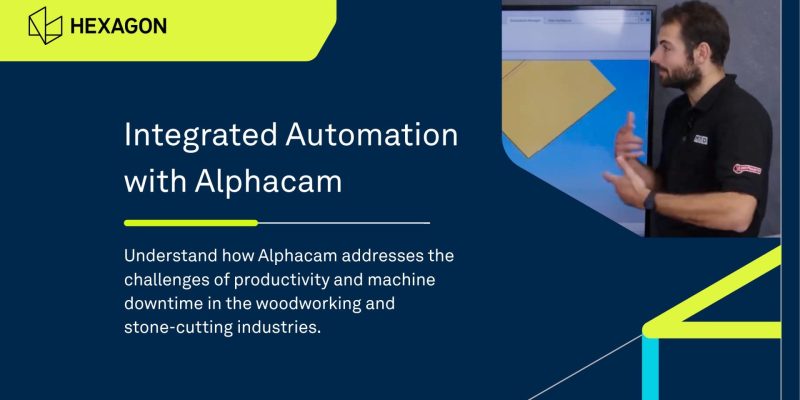
In this technical discussion, ALPHACAM Product Manager Nathan explores the productivity challenges facing woodworking manufacturers and demonstrates how automation tools help reduce programming time, improve material utilization, and keep CNC machines producing parts.
Click here for video script
Welcome to another MTD CNC Technical Corner. Today, we’re talking about the woodworking industry.
Nathan, it’s not something I know very much about. What challenges are facing the woodworking industry, and how do manufacturers operate?
In the woodworking industry, one of the key challenges is productivity—producing as much work as possible. Machine downtime represents a major financial loss, so manufacturers need to get as many parts off their machines as quickly as possible.
ALPHACAM is designed around helping customers achieve that. We aim to produce as much work as possible while continually reducing programming times through the automation integrated into ALPHACAM.
Why is programming time such an important factor in keeping a machine running?
Woodworking machines operate differently from the machines you might see in an engineering environment. There is no real vise work involved in a woodworking environment, so unloading the machine is not usually a major issue. That is a relatively easy part of working in the routing industry.
The biggest issue is programming time. For example, a cabinet might contain 50 components. If you need to program the complete cabinet and then create a nest of those components, programming each component individually could take a week.
With the automation integrated into ALPHACAM, it could potentially take only five to ten minutes once the system is set up. That is how we have engineered the software to help speed up the industry.
Let’s examine exactly how you do that, because it sounds like quite a claim. Which automation features in ALPHACAM have been optimized to make programming so fast?
We start with our 3D geometry. Geometry is predominantly 2D, so when I mention 3D geometry, people sometimes look confused.
In ALPHACAM, we can create three-dimensional geometries. To do that, we have a setting that tracks the top Z level and the bottom Z level of a component.
For example, you might have two pieces of material, one that is 18 millimetres thick and another that is 30 millimetres thick. You can apply a machining operation to these geometries that tracks the top and bottom levels and uses the same toolpath for both pieces without requiring you to reconfigure the number of cutting depths.
This is automated within ALPHACAM and defined through your tool library. You can adjust the settings when you need to go deeper, save these toolpaths, and reapply them whenever they are required.
This saves a significant amount of time when you are working with different material thicknesses or different cutters with different depths of cut. These processes can all be fully automated.
Managing the Z levels of components is not the only way ALPHACAM reduces programming time. What other optimizations are available?
The nesting engine allows us to create a highly efficient nest for a sheet of components. For example, when working with a 2,440-millimetre sheet, you can produce a tight nest that provides a strong sheet yield and reduces material waste.
ALPHACAM also offers automated offcut generation. You can define the minimum X and Y values for the offcut size you want to retain. Using saved machining styles and Z levels, the software can then automate the machining correctly.
We also offer waste management. Imagine that you have a large piece of material that is not large enough to be retained as an offcut but is still too long to handle easily. You can create an automated waste-management toolpath that uses a machining style to trim the material, making it easier to manage and remove from the machine.
In this industry, manufacturers often work with large wooden assemblies that will become cabinets, drawers, or other pieces of furniture. Do they need to import these assemblies and separate each model individually?
In ALPHACAM, you can import a complete solid assembly. For example, if you import a cabinet containing the components I mentioned earlier, ALPHACAM automatically separates the assembly into individual files and flattens the parts.
This allows you to program each individual part without first breaking the cabinet down in an external CAD package and importing every part separately. ALPHACAM handles that process automatically, saving a significant amount of time between design and manufacturing.
There is one feature that brings these three automation capabilities together. You mentioned off camera that it tends to blow people’s minds. What is it? It almost sounds too good to be true.
Automation Manager, which is available in ALPHACAM, is essentially a large database that brings all three capabilities together.
You can use automated machining styles and load solid assemblies, DXF files, native ALPHACAM files, and even CSV files. You can then process everything automatically by pressing a button.
For example, Automation Manager can import solid models, extract all the geometry, establish the Z levels and tool directions, apply the appropriate machining styles to the correct layers, and nest the parts when nesting is required.
It can also generate reports and labels and output the NC code.
How does it work, and what are the potential time savings?
You could process approximately 50 components in about five minutes. It can sometimes be faster depending on your computer, but five minutes for approximately 50 components is a reasonable average.
The cabinet you can see on screen is being processed through Automation Manager. I’m going to go through some of the files. You can see the database extracting all the geometries, applying the toolpaths, and nesting everything.
It approaches each component as though a programmer were programming it individually.
Exactly. But you need to have all the templates set up, the toolpaths selected, and an understanding of how the components will be manufactured before you process them.
Yes. There is some manual intervention. It is not a completely automated process from the beginning. You need to complete the initial setup, but once the system has been configured, it should run consistently.
We currently have customers who use Automation Manager for nearly everything they program.
Hopefully, that has given people an idea of the automation available to help reduce programming time. However, these capabilities may be most relevant to experienced ALPHACAM users.
For someone who is interested in the product and wants to understand what it could do for them, could you provide an overview of the CAM system and its capabilities?
We serve a wide range of industries, including woodworking, engineering, and stone cutting.
In the stone industry, for example, manufacturers may use large gantry-style five-axis machines with enormous saws and significant amounts of coolant. ALPHACAM includes toolpath-creation capabilities specifically designed for the stone industry.
I assume that can be quite a messy environment.
Yes, very messy.
For milling, we offer three-coordinate roughing and finishing as well as four-axis machining. These toolpath-creation capabilities are specifically designed for cutting hard materials and metals.
For turning, the software supports twin-turret machining, C-axis lathe machining, and conventional turning. It also supports wire EDM machining and profiling applications such as laser cutting and waterjet machining.
Therefore, although ALPHACAM has a strong focus on the woodworking industry, a company with an EDM machine or a lathe can also use the software to program those machines.
It is suitable for general machine shops as well.
Exactly.
How can people get in touch if they would like more information about the product?
Hexagon.com is a good place to start. Our Nexus platform is another resource worth exploring. You can submit sales inquiries through the platform and find extensive information about ALPHACAM.
Three Ways Automation Reduces Programming Time
1. Reusing Intelligent Machining Strategies
One of the most time-consuming aspects of programming is repeatedly defining the same machining operations.
Advanced CAM systems like ALPHACAM allow manufacturers to create reusable machining styles that automatically adapt to different material thicknesses and component requirements.
Instead of rebuilding toolpaths for every part, proven machining strategies can be applied consistently across projects.
This helps improve both speed and standardization.
2. Automatically Processing Large Assemblies
Many manufacturers design products as complete assemblies.
Without automation, those assemblies often need to be broken into individual components before programming can begin.
Modern automation tools can automatically:
- Import complete assemblies
- Separate components
- Flatten parts for machining
- Apply machining strategies
- Prepare parts for nesting
This eliminates a significant amount of manual preparation work between design and manufacturing.
3. Optimizing Material Usage Through Automated Nesting
Programming efficiency isn’t only about saving labour.
It’s also about maximizing material yield.
Automated nesting engines help manufacturers arrange parts efficiently on sheets while accounting for grain direction, machining requirements, and material utilization.
Additional capabilities such as offcut management and waste reduction strategies help ensure more value is extracted from every sheet processed.
Learn more about faster, toolpath-aware nesting with ALPHACAM Quick Nest.
How ALPHACAM Helps Manufacturers Automate CNC Programming
As a CNC cabinet design software for the woodworking industry, ALPHACAM is designed to help manufacturers reduce programming time while keeping production moving.
Using features such as reusable machining styles, solid assembly processing, automated nesting, and Automation Manager, manufacturers can automate many of the repetitive tasks traditionally associated with CNC programming. ALPHACAM’s automation capabilities are specifically designed to support high-volume manufacturing environments where productivity and machine utilization are critical priorities.
For many shops, this means moving from manually programming dozens of individual parts to processing entire projects in just a few minutes.
Final Thoughts
When manufacturers think about increasing capacity, purchasing another machine is often the first solution considered.
However, before investing in additional equipment, it may be worth examining the programming process itself.
Reducing CNC programming time can unlock hidden capacity, improve machine utilization, shorten lead times, and help existing equipment produce more parts every day.
For many woodworking manufacturers, automation isn’t simply about convenience. It’s becoming a competitive advantage.